iPad Pro 11 M5 User Experience
Sizometry Verdict
Editorial scores based on recurring themes across professional reviews, hands-on testing, and expert analysis.
Overall user experience
8.5
out of 10
The same brilliantly portable tandem OLED pro tablet as the M4, now with faster M5 silicon, 12GB base RAM, and modern networking — held back in buyer sentiment mainly by incremental-upgrade economics, shared iPadOS 26 gains on M4, and familiar ecosystem ceilings.
Category scores
Camera
6.5
Unchanged adequate scanning and video-call cameras for tablet utility, with no ambition to compete with phone or dedicated camera systems.
Battery and charging
8.0
Reliable mixed-use endurance familiar from M4, with modest lab gains and faster drain during keyboard-hub and external-display workflows.
Performance
9.0
Fast routine use with occasional warmth under sustained load.
Handling and portability
8.5
Manageable daily carry with familiar reach and pocket trade-offs for the size class.
Build quality
8.5
Same premium thin unibody craftsmanship admired on M4, with careful handling and cases still advised.
Value
8.0
Balanced capability for the price with deliberate omissions versus higher tiers.
Strengths
- Class-leading tandem OLED display in a truly portable 11-inch body
- M5 performance, 12GB base RAM, and PCIe 5.0 storage headroom for pro creative apps
- Full Apple Pencil Pro and Magic Keyboard compatibility without rebuying accessories
- Wi-Fi 7 and C1X cellular modernize networking for new buyers
Weaknesses
- Near-identical to M4 for most daily tasks, weakening in-generation upgrade value
- iPadOS still limits some professional workflows
- Accessory stack pushes total cost very high
- No design, display, or camera refresh in this cycle
Best for
- New buyers entering the 11-inch pro line at the latest spec floor
- Owners upgrading from M1 or M2 11-inch iPad Pro hardware
- GPU-heavy creative users who benefit from higher graphics throughput
- Travel-first users who want OLED and Pencil in a small bag
Less suitable for
- Satisfied iPad Pro 11-inch M4 owners seeking meaningful change
- Budget-conscious shoppers who can source discounted M4 inventory
- Buyers seeking a full laptop replacement on iPadOS alone
- Users waiting for a redesigned chassis or new display generation
Upgrade recommendation
Current device: iPad Pro 11-inch M1 or older
Recommendation: Strongly recommendedNotes: OLED tandem display, M5 speed, 12GB base RAM, Pencil Pro, and thin chassis address the clearest pain points of earlier generations.
Current device: iPad Pro 11-inch M2
Recommendation: Worth consideringNotes: Compounded OLED, accessory, memory, and M5 gains matter for creative users; optional for light tablet routines.
Current device: iPad Pro 11-inch M4
Recommendation: Probably unnecessaryNotes: Benchmark and RAM gains rarely change daily experience; discounted M4 or waiting for a redesign is the recurring advice.
Current device: iPad Air M3 or M4
Recommendation: Depends on prioritiesNotes: Worth the step for Pencil Pro artists and HDR-heavy media use; less compelling for light productivity only.
Current device: MacBook-only users
Recommendation: Worth consideringNotes: Strong as a secondary creative tablet with iPadOS 26 improvements; rarely a complete Mac replacement without workflow compromises.
Bottom line
The iPad Pro 11-inch M5 is the fastest version of an already exceptional small pro tablet, not a reinvention. The tandem OLED panel, thin body, and Pencil Pro integration still make reading, sketching, and travel creative work feel special, while M5 silicon, 12GB base RAM, and modern networking mostly future-proof hardware that was already overkill for many buyers. Reviewers converge on a practical conclusion: wonderful from older hardware or as a new purchase, but skippable if you already own an M4. iPadOS 26 narrows the laptop gap without removing it, and true ownership cost still rises sharply with accessories.
See its real size next to another phone or tablet.
Open size comparisonOverview
Across professional reviews and early owner discussions, the iPad Pro 11-inch M5 is widely framed as a chip-and-connectivity refresh rather than a redesign. reports describe the same ultra-thin tandem OLED body, the same Apple Pencil Pro and Magic Keyboard stack, and the same daily appeal dominated by display quality and portability.
This summary focuses on daily handling, endurance, camera limits, and who the device suits best — not benchmark rankings.
Daily use
In daily use, the 11-inch M5 is fast, fluid, and immediately familiar to anyone who handled the M4. iPadOS 26 makes multi-app layouts and trackpad navigation more natural, though M4 units updated to iPadOS 26 narrow that gap for typical tasks.
Media consumption remains a standout strength. The tandem OLED panel earns praise for deep blacks, vivid HDR, and smooth scrolling. The 11-inch footprint preserves the couch-and-bed sweet spot without arm fatigue from larger slates.
Productivity sentiment is improving but bounded. Stage Manager and external display support support credible document work with the Magic Keyboard, though file organization and niche software gaps still push some workflows to macOS.
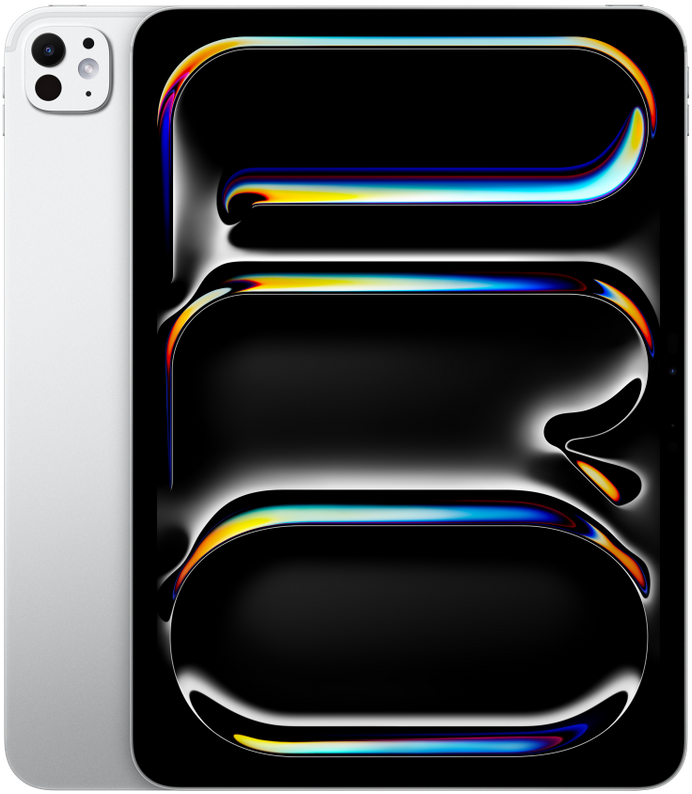
iPad Pro 11 M5
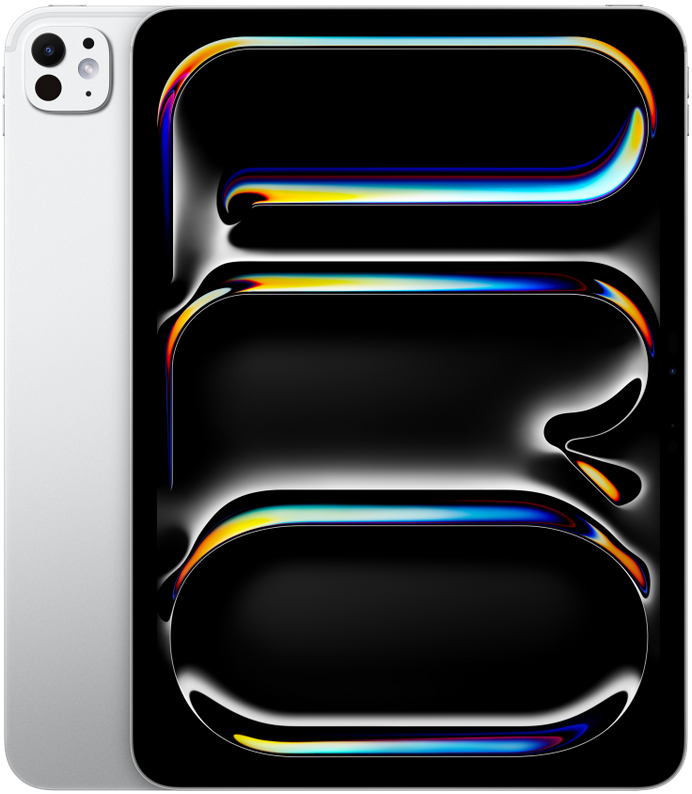
View the full specifications, dimensions, pricing, and related models.
Camera
Camera feedback on iPad Pro models remains secondary to display and productivity strengths, and the 11-inch M5 follows that pattern with unchanged optics. The 12MP rear wide camera and 12MP landscape front camera are described as adequate for document scanning, occasional video calls, and quick reference photos rather than primary photography.
Center Stage and landscape front-camera placement earn positive mentions for desk and kitchen-counter video calls, where the tablet often substitutes for a laptop webcam. Image quality in good light is regarded as clear and natural for meetings; low-light video noise is noted but rarely cited as a purchase dealbreaker for pro tablet buyers evaluating an incremental refresh.
Battery and charging
Typical daily reports align around solid all-day endurance for mixed tablet use: reading, notes, browsing, video calls, and moderate creative work. Light routines often end with meaningful charge remaining; heavy Pencil illustration, outdoor brightness, and long video editing more commonly lead to an evening top-up. Lab-style streaming tests in reviews show modest gains over M4 in some configurations, but owner sentiment still treats battery as familiar rather than revolutionary.
Owners pairing the tablet with Magic Keyboard and external displays describe faster drain during desk-hub workflows, which is expected but worth planning around for travel days without guaranteed outlet access. Fast charging over USB-C helps recover midday, with some reviewers noting improved charging behavior when paired with higher-watt adapters — a secondary theme rather than a headline upgrade.
Performance
Benchmark narratives cite roughly 11 percent higher CPU scores and about 34 percent higher GPU throughput versus M4, with PCIe 5.0 storage improving large file transfers on paper. App launching, layer-heavy illustration, photo editing, and 4K timeline scrubbing remain often described as fast. M1 and M2 upgraders notice more headroom; M4 upgraders rarely report day-to-day transformation outside export or gaming stress tests.
The 12GB base RAM configuration matters more than marginal CPU percentages in recurring owner accounts. Base M5 models handle heavy Stage Manager layouts, large Photoshop files, and simultaneous preview windows with fewer reloads than 8GB M4 units. Extreme multitaskers still recommend 16GB on 1TB and 2TB tiers for the heaviest creative pipelines.
Handling and portability
At 177.5 mm wide, 249.7 mm tall, and 444 g, the iPad Pro 11-inch M5 inherits the same handheld geometry as the M4 and remains among the most manageable current pro tablets for brief one-handed portrait use.
Portrait one-handed interaction works best for short tasks — scrolling feeds, flipping pages, or a quick Pencil note. Full keyboard typing and extended Pencil work still require two hands or a surface.
The ultra-thin 5.3 mm profile aids couch holding, though bare-edge grips feel less secure than thicker tablets. Case choice and Magic Keyboard weight materially affect handheld comfort.
Build quality
The aluminum unibody, extreme thinness, and tandem OLED front stack combine into a product that still feels precision-engineered and premium in hand — because the industrial design is unchanged from M4. Owners praise fit and finish, tight tolerances, and satisfying rigidity despite minimal thickness, with durability caution unchanged for bare-slate carry in bags and on couches.
Apple Pencil Pro magnetic attachment and charging alignment receive steady positive mentions for reliability across daily creative routines. Magic Keyboard hinge and key feel remain described as improved over pre-M4 generations, with a sturdier floating design that suits desk and moderate lap use. Accessory reuse from M4 is a recurring satisfaction theme for upgraders who feared another port, mount, or compatibility transition.
Considering another iPad Pro (M5) model?
Similar size devices
This summary is based on recurring reports from public discussions.