iPad Air 11-inch M3 User Experience




Sizometry Verdict
Editorial scores based on recurring themes across professional reviews, hands-on testing, and expert analysis.
Overall user experience
8.0
out of 10
A portable, dependable iPad Air with strong daily fundamentals and meaningful appeal for older-iPad upgraders, held back in buyer sentiment primarily by its incremental M3 step and unchanged 60Hz LCD and accessory story.
Category scores
Camera
7.0
Adequate document scanning and strong front-camera Center Stage for calls, with rear imaging treated as utility rather than a strength.
Battery and charging
8.5
Reliable all-day endurance for moderate tablet use with positive long-term health reports carried forward from the Air line.
Performance
8.0
Fast routine use with occasional warmth under sustained load.
Handling and portability
8.5
Manageable daily carry with familiar reach and pocket trade-offs for the size class.
Build quality
8.0
Solid aluminum chassis and refined finishes, with accessory ecosystem age as the main recurring debate.
Value
8.0
Balanced capability for the price with deliberate omissions versus higher tiers.
Strengths
- Portable 11-inch size with excellent handheld comfort
- Reliable all-day battery for typical study and media use
- M3 silicon and 8GB RAM for multi-year software confidence
- Apple Pencil Pro support for modern note-taking and drawing
Weaknesses
- Incremental upgrade over M2 Air with same display and accessories
- 60Hz LCD — common criticism versus Pro tablets
- Older Magic Keyboard design without Pro-style updates
- GPU ray-tracing gains rarely felt in everyday iPadOS use
Best for
- Buyers prioritizing portable 11-inch handling and bag fit
- Upgraders from older iPads seeking M-series speed and Pencil Pro
- Students and casual creators satisfied with 60Hz LCD
- Shoppers who value future-proofing over generational display leaps
Less suitable for
- M2 Air owners expecting a meaningful daily upgrade
- Display enthusiasts expecting 120Hz or OLED at Air pricing
- Power users who need Thunderbolt and Pro keyboard designs
- Budget buyers when discounted M2 Air units are available
Upgrade recommendation
Current device: Base iPad or Air 4 and older
Recommendation: Strongly recommendedNotes: M3 speed, 8GB RAM, Pencil Pro support, and modern iPadOS features address multi-generation pain points.
Current device: iPad Pro models before M1
Recommendation: Strongly recommendedNotes: Efficiency, accessory compatibility, and software longevity still feel meaningful compared with aging Pro hardware.
Current device: M1 Air generation
Recommendation: Worth consideringNotes: Meaningful future-proofing but not dramatic daily gains; strongest when sales on M2 do not undercut M3 pricing.
Current device: M2 Air generation
Recommendation: Probably unnecessaryNotes: Same display, design, and accessories with incremental silicon — owners rarely describe a must-upgrade case.
Current device: 13-inch Air or Pro owners seeking portability
Recommendation: Worth consideringNotes: Handheld and bag benefits frequently outweigh lost screen area for users overstretched by larger tablets.
Current device: Shoppers comparing to iPad Pro 11-inch
Recommendation: Depends on prioritiesNotes: Air wins on price and weight; Pro wins on 120Hz OLED, Thunderbolt, and floating keyboard unless portability and value dominate.
Bottom line
The iPad Air 11-inch M3 earns respect through portable, comfortable daily use and dependable core performance rather than display or accessory leadership. Its strongest appeal is manageable size paired with M3 future-proofing, Pencil Pro support, and all-day battery for typical study and media routines. The dominant trade-off in buyer discussions remains the incremental step over M2 Air — same 60Hz LCD, same chassis, same Magic Keyboard — at full price when discounted M2 units often tell a better value story. Shoppers upgrading from older iPads gain the clearest benefits; M2 Air owners should treat M3 as optional unless long-term software headroom justifies the premium.
See its real size next to another phone or tablet.
Open size comparisonOverview
In reviews, the iPad Air 11-inch M3 is is often seen as as a capable, predictable tablet — refined primarily through its M3 chip while leaving the familiar Air hardware story largely unchanged from the M2 generation. reports frame it as a practical daily device for students and casual creators rather than a headline-grabbing leap.
This summary focuses on daily handling, endurance, camera limits, and who the device suits best — not benchmark rankings.
Daily use
In daily use, the 11-inch M3 Air is often described as fast and dependable for routine tablet tasks. App launches, Safari tab management, split-view multitasking, Apple Notes handwriting, and media playback benefit from the M3 chip paired with 8GB of RAM. Owners rarely report meaningful lag in typical workloads, and transitions between reading, annotation, and light creative apps are described as smooth rather than remarkable compared with the M2 Air they may have tested side by side.
The 11-inch Liquid Retina IPS panel at 2360 × 1640 resolution and 60Hz refresh reaches up to 500 nits peak brightness, which owners praise for legibility indoors and adequate outdoor use in shade. Color and white balance receive steady positive mentions for content consumption and document work. Where friction appears, it clusters around scroll feel when owners compare directly with 120Hz Pro tablets — a comparison some avoid by simply not switching between devices.
iPadOS receives credit for stability in core areas after the initial release cycle, including Stage Manager, external display support, and Pencil input latency. Early-release rough edges around newer multitasking behaviors improved with updates in accounts, producing dependable routine behavior with selective frustration in power-user workflows rather than systemic unreliability for mainstream owners.

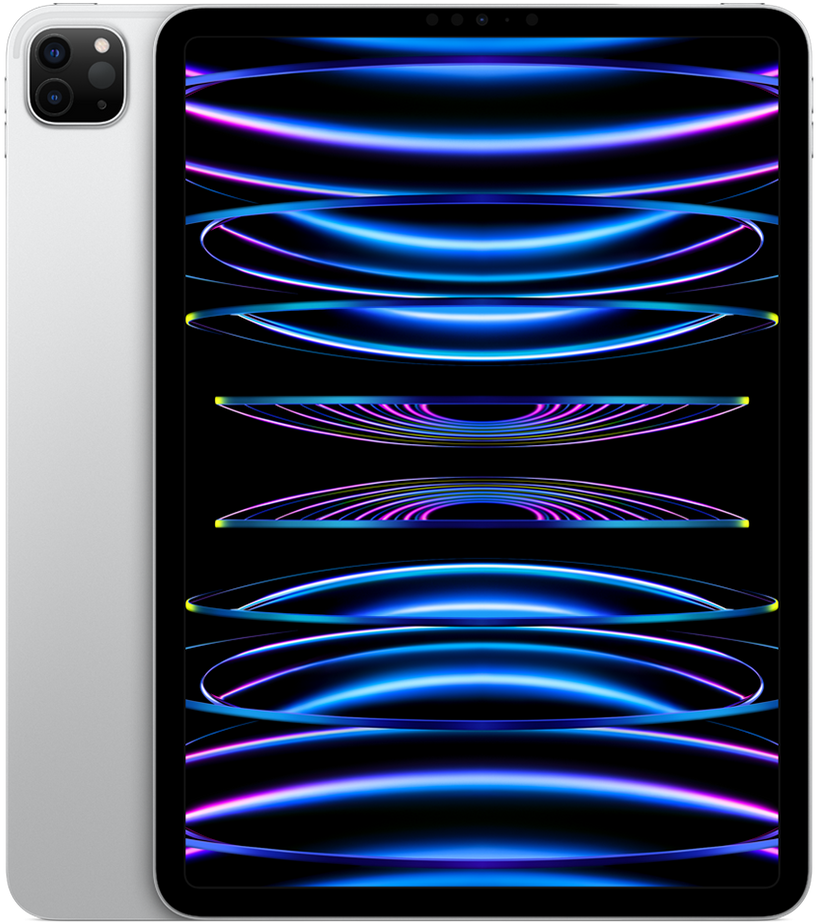
iPad Air 11 M3
View the full specifications, dimensions, pricing, and related models.
Camera
Camera feedback centers on utility rather than creative ambition. The 12MP rear wide camera and 12MP landscape front camera are repeatedly described as adequate for document scanning, video calls, and occasional snapshots. Center Stage on the front camera earns steady praise for family calls and remote meetings when the device is propped on a desk or kitchen counter.
Rear-camera document scanning works reliably in good light, matching expectations set by prior Air generations. Low-light performance trails dedicated phones and Pro iPad comparisons in review threads, though owners who rarely use tablet cameras describe results as good enough for the few times they need them.
Battery and charging
Typical daily reports align around comfortable all-day endurance for moderate use: browsing, note-taking, streaming, and intermittent Pencil input. Lighter routines often end with meaningful charge remaining; heavy gaming, video editing, or prolonged external-display use more commonly leads to an evening top-up.
Long-term ownership threads increasingly describe positive battery health retention across the first year, with fewer prominent degradation complaints than some older iPad generations generated in forums. Within the iPad Air family, the 11-inch M3 model sits in a practical middle ground for runtime versus portability.
Performance
App launching, Safari performance, and routine multitasking are often described as fast, with little reported lag under normal workloads. The M3 chip with 8GB of RAM handles current iPadOS features without the sense of compromise older iPads sometimes developed — meaningful for upgraders from A-series or early M1 hardware, subtle for M2 Air owners.
Gaming feedback is positive for mainstream Apple Arcade and App Store titles, though rarely cited as a primary purchase reason. M3's GPU improvements and ray-tracing hardware generate benchmark headlines, but owner accounts repeatedly note that iPadOS games seldom expose those capabilities in ways that change daily play compared with M2 Air — making the silicon story more about longevity than immediate sensation.
Handling and portability
At 178.5 mm wide, 247.6 mm tall, and 460 g, the 11-inch M3 Air is among the most consistently praised current iPads for handheld manageability in owner discussions. The compact footprint allows comfortable two-thumb typing in portrait for short messages and quick searches, and secure one-handed gripping in landscape for reading when a case or hand position provides edge purchase.
The thin 6.1 mm aluminum chassis and moderate weight produce a secure grip without the wrist strain many report on 13-inch Air models or older thicker designs. Landscape reading on a couch or in bed is described as natural for extended sessions when supported by a pillow or knee, though pure one-handed reach across the full display width remains impractical — a limitation owners accept as normal for this size class.
Thumb reach in portrait mode covers the lower two-thirds comfortably for scrolling feeds and tapping controls, but top-corner targets still require hand shifting or a second hand. Owners with smaller hands note that the 11-inch Air works well for common handheld tasks but never fully replaces a phone-like one-thumb workflow.
Build quality
The aluminum unibody, color-matched finishes, and thin profile combine into a device that feels premium without Pro-tier complexity. Buttons, speakers, and USB-C alignment maintain a precise, consistent feel in owner reports, with the overall chassis described as mature and travel-durable when paired with a case.
Display durability follows familiar tablet patterns: owners report surviving minor bag abrasions and desk contact, though no screen survives hard impacts indefinitely. Case usage remains common, with bare-tablet owners valuing the slim grip and color finishes praised in long-term threads.
Considering another iPad Air (M3) model?

Similar size devices


This summary is based on recurring reports from public discussions.