iPad Air 13-inch M4 User Experience




Sizometry Verdict
Editorial scores based on recurring themes across professional reviews, hands-on testing, and expert analysis.
Overall user experience
8.0
out of 10
A large, dependable iPad Air with excellent desk-first canvas, battery, and 12GB RAM strengths, appealing strongly to older-iPad upgraders who need screen area — held back by incremental M4-over-M3 daily feel, unchanged 60Hz LCD, accessory cost, and portability trade-offs versus the 11-inch Air.
Category scores
Camera
7.0
Adequate scanning and strong front-camera Center Stage for desk calls, with imaging unchanged and secondary to screen workflows.
Battery and charging
9.0
Among the strongest Air options for all-day endurance; C1X efficiency adds travel value on cellular models.
Performance
8.5
Fast routine use with occasional warmth under sustained load.
Handling and portability
7.0
Manageable daily carry with familiar reach and pocket trade-offs for the size class.
Build quality
8.0
Solid large-format aluminum chassis, with Magic Keyboard weight, cost, and aging design as recurring debates.
Value
8.0
Balanced capability for the price with deliberate omissions versus higher tiers.
Strengths
- Large 13-inch canvas for productivity and Pencil work
- Excellent all-day battery for typical desk and study routines
- M4 silicon and 12GB RAM for heavier multitasking and software longevity
- Pro-sized screen area without Pro OLED pricing
Weaknesses
- Incremental upgrade over 13-inch M3 Air with same display and accessories
- 60Hz LCD more noticeable on a large panel versus Pro tablets
- Keyboard-plus-tablet cost approaches laptop territory without macOS depth
- Handheld and bag portability trail the 11-inch Air
Best for
- Desk-first buyers who need a large split-view and markup canvas
- Upgraders from smaller or older iPads seeking M4 speed and 12GB RAM at 13 inches
- Pencil users who value drawing and note scale over maximum portability
- Cellular travelers who benefit from C1X speeds and modem efficiency
Less suitable for
- 13-inch M3 Air owners expecting a meaningful daily upgrade
- Transit and sofa readers who prioritize handheld comfort
- Buyers who want the most portable Air — the 11-inch M4 fits better
- Shoppers when discounted 13-inch M3 units offer identical ergonomics
Upgrade recommendation
Current device: 11-inch Air, base iPad, or Air 4 and older
Recommendation: Strongly recommendedNotes: Large canvas, M4 speed, 12GB RAM, and Pencil Pro support address screen-size, memory, and performance limits of smaller or aging hardware.
Current device: iPad Pro models before M1 at smaller sizes
Recommendation: Worth consideringNotes: Strong when buyers want large Air value more than Pro display features they rarely used.
Current device: 13-inch M1 Air generation
Recommendation: Worth consideringNotes: Meaningful efficiency and 12GB RAM gains with same canvas; a clearer step than M3 offered over M2.
Current device: 13-inch M3 Air generation
Recommendation: Probably unnecessaryNotes: Same display, design, and accessories with incremental silicon — owners rarely describe a must-upgrade case unless C1X or RAM matters.
Current device: 11-inch Air owners needing more screen area
Recommendation: Depends on prioritiesNotes: Productivity and Pencil scale improve; handheld comfort, bag fit, and weight worsen — a personal workflow trade.
Current device: Shoppers comparing to iPad Pro 13-inch
Recommendation: Depends on prioritiesNotes: Air wins on price for large LCD canvas; Pro wins on 120Hz OLED, Thunderbolt, and floating keyboard unless value dominates.
Bottom line
The iPad Air 13-inch M4 earns respect through a spacious, battery-strong canvas for desk-first study and remote work rather than handheld portability or display leadership. Its strongest appeal is Pro-sized screen area paired with M4 future-proofing, 12GB RAM, Pencil Pro support, and C1X cellular gains for travelers — at Air pricing when buyers do not need OLED or Thunderbolt. The dominant trade-offs are weight and bag bulk versus the 11-inch Air, keyboard-plus-tablet cost approaching laptop territory, iPadOS limits on pro workflows, and the same incremental large-Air story with unchanged 60Hz LCD and older Magic Keyboard. Shoppers upgrading from smaller or older iPads gain the clearest benefits; 13-inch M3 Air owners should treat M4 as optional unless memory, connectivity, or software longevity justifies full retail over discounted M3 stock.
See its real size next to another phone or tablet.
Open size comparisonOverview
Across professional reviews and early owner discussions, the iPad Air 13-inch M4 is is often seen as as Apple's most capable large-format Air yet — refined primarily through M4 silicon, a 12GB RAM bump, and new N1 and C1X connectivity chips while leaving the Air hardware story largely unchanged from the M3 generation. reports frame it as a laptop-adjacent device for students and remote workers who want Pro-sized screen area without Pro OLED pricing.
This summary focuses on daily handling, endurance, camera limits, and who the device suits best — not benchmark rankings.
Daily use
In daily use, the 13-inch M4 Air is often described as fast and dependable for routine tablet and light-laptop tasks. App launches, Safari split-view, Pages documents, Apple Notes, and media playback benefit from M4 paired with 12GB of RAM — more responsive under heavier multitasking than the 8GB M3 large Air. The extra display area remains the primary daily differentiator versus the 11-inch Air.
The 13-inch Liquid Retina IPS panel at 2732 × 2048 and 60Hz reaches up to 500 nits peak brightness, which owners praise for document legibility and video viewing. Friction appears around scroll feel when owners compare directly with 120Hz Pro tablets — more noticeable on the larger panel.
iPadOS receives credit for stability in Stage Manager, external display support, and Pencil input latency. Power users still cite workflow ceilings versus macOS, but mainstream owners describe dependable routine behavior for study and media.

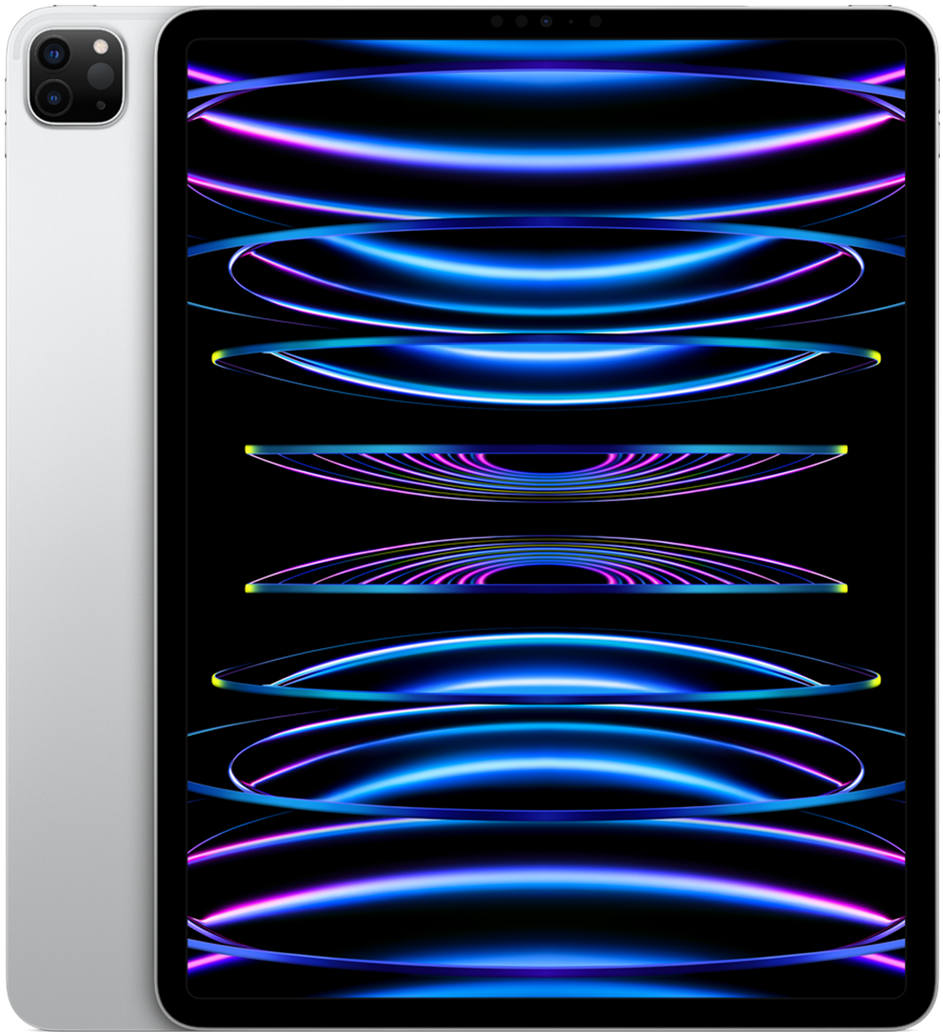
iPad Air 13 M4
View the full specifications, dimensions, pricing, and related models.
Camera
Camera feedback centers on utility rather than creative ambition — identical hardware story to the 11-inch Air and unchanged from M3. The 12MP rear wide camera and 12MP landscape front camera are repeatedly described as adequate for document scanning, video calls, and occasional snapshots. Center Stage on the front camera earns steady praise when the large tablet is propped on a desk for remote meetings.
Rear-camera document scanning benefits from the larger preview area — owners describe faster alignment of pages and whiteboards in accounts, even though sensor quality is unchanged from prior large Air generations. Low-light performance trails phones and Pro iPad comparisons, though classroom scanning in good light meets expectations.
Battery and charging
Typical daily reports align around comfortable all-day endurance for moderate use, with the 13-inch model often described as among the stronger Air options for heavy reading and video days. Larger battery capacity relative to the 11-inch Air — paired with efficient M4 silicon — produces common praise for finishing full workdays without urgency when workloads stay in browsing, notes, and streaming.
Cellular owners who opted for C1X models describe additional practical value beyond raw speed: the in-house modem is credited in several reviews with better efficiency, which pairs well with the large battery for travel days. The Verge and other publications highlight C1X delivering notably faster data in weak-signal areas compared with recent iPhones and prior iPad cellular models — a recurring positive for buyers who treat the 13-inch Air as an always-connected field device.
Performance
App launching, Safari with multiple tabs and split views, and routine multitasking are often described as fast, with reviewers noting that 12GB RAM makes the M4 large Air feel more composed than the 8GB M3 when many apps remain suspended. The M4 chip handles current iPadOS features smoothly — meaningful for buyers from older hardware, subtler for 13-inch M3 Air owners running typical workloads.
Benchmark-focused coverage reports roughly 20–25 percent CPU gains and 10–15 percent GPU gains over M3 Air in controlled tests, with Apple claiming up to 30 percent faster overall. Owner accounts repeatedly note that side-by-side daily use — app launches, gaming, creative exports — rarely feels dramatically different from M3 unless workloads involve heavy multitasking or AI features that benefit from extra memory.
Handling and portability
At 214.9 mm wide, 280.6 mm tall, and 616 g, the 13-inch M4 Air is often described as a two-handed tablet. The large footprint allows comfortable landscape reading when cradled with both hands or propped on a stand, but one-handed gripping for extended periods is rarely attempted.
The thin 6.1 mm aluminum chassis mitigates some wrist strain relative to older thick tablets, yet the 616 g bare weight produces fatigue during prolonged handheld reading for many users. Extended ebook scrolling more commonly shifts to a pillow, knee brace, or table edge.
Portrait-mode handheld use is limited. Thumb reach covers only a fraction of the display height, making one-handed interaction practical mainly for quick checks. Owners report the 13-inch Air functions best as a desk, lap-with-keyboard, or stand-mounted device.
Build quality
The aluminum unibody, color-matched finishes, and thin large-format profile combine into a device that feels premium and desk-ready without Pro-tier complexity. Speakers, buttons, and USB-C alignment receive steady positive mentions, with the chassis described as travel-durable when sleeved — though less grab-and-go than 11-inch models.
Display durability follows familiar tablet patterns: owners report surviving bag commutes and desk life with cases, while bare large screens feel exposed in crowded backpacks. Case and sleeve usage is extremely common on the 13-inch Air because buyers treat it as a primary work device.
Considering another iPad Air (M4) model?

Similar size devices


This summary is based on recurring reports from public discussions.