iPad Air 13 M2 User Experience




Sizometry Verdict
Editorial scores based on recurring themes across professional reviews, hands-on testing, and expert analysis.
Overall user experience
8.5
out of 10
A large-screen value leader with excellent battery and M2 headroom for study and creative work — weighed down by handheld awkwardness, 60Hz limits, and laptop-replacement math that often favors MacBook Air once keyboards enter the cart.
Category scores
Camera
6.5
Functional for scanning and calls with a large preview, not a photographic selling point.
Battery and charging
9.0
Among the most praised traits — comfortable multi-day light use and strong heavy-day margins for many owners.
Performance
8.5
Fast routine use with occasional warmth under sustained load.
Handling and portability
6.0
Manageable daily carry with familiar reach and pocket trade-offs for the size class.
Build quality
8.0
Solid aluminum at scale with dependable Touch ID; size increases bend caution in tight bags.
Value
7.5
Balanced capability for the price with deliberate omissions versus higher tiers.
Strengths
- Excellent battery endurance for long study and travel days
- Spacious 13-inch display for documents and split workflows
- M2 performance without iPad Pro 13 pricing
- Strong propped reading and keyboard-mounted productivity
Weaknesses
- Handheld awkwardness and weight versus 11-inch Air
- Keyboard bundle cost approaches MacBook Air without macOS
- 60Hz LCD and older Magic Keyboard generation
- iPadOS friction for true laptop replacement
Best for
- Document-heavy students and professionals at desks or lecture halls
- Buyers who prioritize screen and battery over handheld agility
- Travel media and notes users avoiding full laptop carry
Less suitable for
- Couch readers wanting light one-hand tablet use
- Shoppers expecting MacBook flexibility at similar total price
- Commuters preferring 11-inch grab-and-go portability
Upgrade recommendation
Current device: 11-inch iPad or base iPad with cramped workflows
Recommendation: Strongly recommendedNotes: Screen area and battery gains address split-view and PDF pain points desk-first users feel daily.
Current device: 11-inch iPad Air M2 owners
Recommendation: Depends on prioritiesNotes: Worth it for document-heavy habits; questionable if handheld couch use defined satisfaction on 11 inches.
Current device: MacBook Air shoppers adding Magic Keyboard
Recommendation: Depends on prioritiesNotes: Similar totals but different OS strengths — iPad wins touch and battery; Mac wins apps and windowing.
Current device: iPad Pro 13 M4 owners
Recommendation: Probably unnecessaryNotes: Downgrades display, Face ID, and keyboard options unless cost savings override unused Pro features.
Current device: Seeking full laptop replacement
Recommendation: Worth consideringNotes: Hardware and battery impress; trial required apps because iPadOS still breaks some replacement dreams.
Bottom line
The iPad Air 13 M2 makes its case with screen scale and battery excellence — a big canvas and M2 speed at a price below iPad Pro 13 that satisfies document-heavy students and propped-media users. Handheld awkwardness at 617 g is the recurring reality check against the 11-inch Air, and laptop-replacement hopes routinely collide with iPadOS limits plus Magic Keyboard math that rivals MacBook Air without macOS freedom. Buy it when you want maximum Air-tier value on a desk, in a lecture hall, or in a backpack slot meant for laptops — not when you want a light couch tablet you can fan with one hand.
See its real size next to another phone or tablet.
Open size comparisonOverview
In reviews, the 13-inch iPad Air with M2 is is often seen as as Apple's most convincing large tablet for buyers who want a spacious canvas without iPad Pro pricing. reports frame the extra two inches as meaningful for split-screen research, video editing timelines, and digital textbooks — while acknowledging that the size and 617 g weight push handheld use toward two-hand or table-supported habits.
This summary focuses on daily handling, endurance, camera limits, and who the device suits best — not benchmark rankings.
Daily use
In daily use, the 13-inch iPad Air M2 is often described as spacious and responsive. Split View and Slide Over benefit from the wider canvas, reducing the cramped feeling owners report on 11-inch models when referencing a paper document beside notes or running video beside a textbook. M2 performance keeps these layouts smooth for typical student and creative workloads.
The 60Hz LCD remains the most debated daily interaction for users alternating with 120Hz Pro tablets or phones. Color and resolution earn praise for text clarity and photo editing headroom; scroll and Pencil latency awareness persists among sensitive owners without universally souring satisfaction.
Touch ID on the top button continues daily unlock without the landscape Face ID convenience Pro owners enjoy. Video calls in keyboard-folio landscape highlight the short-edge front camera placement — a recurring ergonomic nit during meetings that desk users mitigate with external displays or adjusted seating.

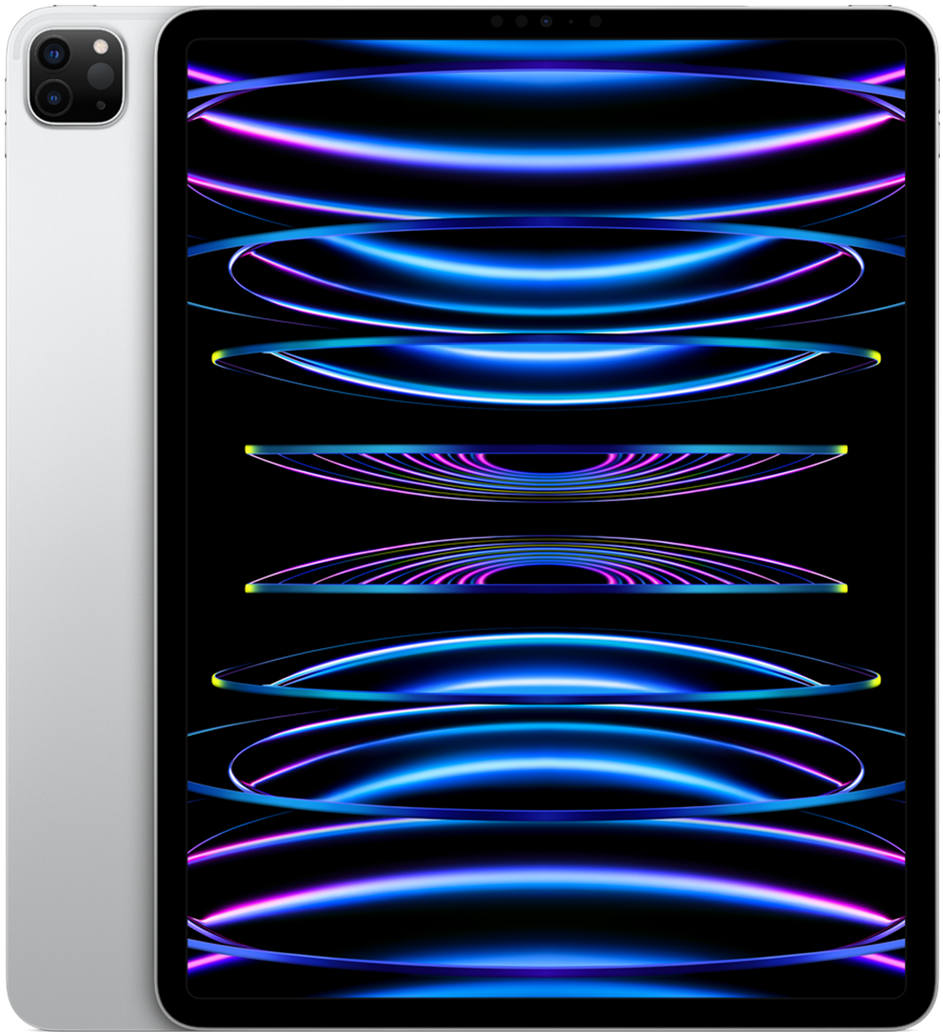
iPad Air 13 M2
View the full specifications, dimensions, pricing, and related models.
Camera
Camera expectations mirror the 11-inch Air: utility over excellence. Document scanning, whiteboard capture, and occasional reference photos are described as straightforward on the 12MP rear camera, with the large preview making framing easier than on phones for some classroom workflows.
Center Stage on the landscape front camera helps desk-based video calls when the tablet is propped for keyboard use, though short-edge placement keeps ergonomic complaints prominent in owner threads. Few buyers choose the 13-inch Air for photography; image quality feedback is neutral rather than enthusiastic.
Battery and charging
Battery endurance is the 13-inch Air's most consistently praised daily trait. Owners describe comfortable full days of lectures, note-taking, and streaming without range anxiety, with many light-use accounts stretching into a second day before charging. Heavy Pencil drawing, gaming, and maximum brightness still demand evening top-ups, but the margin versus 11-inch Air appears often enough to influence size-buying decisions.
Within Apple's tablet lineup, the 13-inch Air competes respectably with larger Pro models for mixed unplugged use despite the 60Hz panel — efficiency and cell size combine into a workhorse narrative for students and travelers who prioritize runtime over ProMotion.
Performance
M2 on the 13-inch Air handles the workloads owners buy this screen for: multi-app research, large Procreate canvases, Lightroom edits, and 4K timeline scrubbing in consumer editors. 8GB RAM suffices for typical student and creator habits, though owners pushing enormous layered files or extreme browser tab counts still report occasional reloads.
Thermal behavior is described as mild under sustained load — warm aluminum edges during long exports or gaming, but rarely throttling that interrupts note-taking or video playback. The performance story supports laptop-replacement ambition at the hardware layer even when iPadOS disagrees.
Handling and portability
At 214.9 mm wide, 280.6 mm tall, and 617 g, the 13-inch iPad Air M2 is rarely described as a one-handed tablet in owner discussions. Brief carries between rooms, kitchen recipe glances, and standing quick-checks are possible with two hands or a firm forearm cradle, but sustained single-hand reading or scrolling is widely reported as awkward and tiring.
Compared with the 11-inch Air, the 13-inch model demands earlier transitions to lap, table, or stand support. Owners upgrading from smaller iPads frequently describe an adjustment period where couch habits must change — what felt casual on 11 inches becomes a two-hand or propped activity at this size.
Portrait handheld use highlights reach and weight together: thumbs struggle to span controls, and wrist load accumulates faster than on the smaller Air. Landscape handheld viewing for video is more manageable when cradled like a tray, though length and mass still prompt case kickstands or pillows during movies.
Build quality
Aluminum construction, color finishes, and rigid chassis feel match the 11-inch Air's premium impression at larger scale. The expanded surface area can flex slightly if gripped at corners without a case — a caution mentioned in backpack threads rather than a widespread defect report.
Touch ID placement remains consistent and reliable; the larger body does not change unlock ergonomics meaningfully. Apple Pencil Pro attachment along the long edge is secure, though some keyboard cases obscure charging placement if misaligned.
Similar size devices


This summary is based on recurring reports from public discussions.