iPad A16 User Experience

Sizometry Verdict
Editorial scores based on recurring themes across professional reviews, hands-on testing, and expert analysis.
Overall user experience
7.5
out of 10
An excellent entry-value iPad for families and students with snappy A16 performance and a welcomed 128 GB base, tempered by non-laminated display compromises, limited Pencil support, no Apple Intelligence, and expensive official keyboard pricing.
Category scores
Camera
6.0
Utility-grade cameras adequate for calls and scanning, with no photography expectations at this tier.
Battery and charging
8.0
Dependable all-day patterns for student and family routines without class-leading endurance claims.
Performance
7.5
Fast routine use with occasional warmth under sustained load.
Handling and portability
5.5
Manageable daily carry with familiar reach and pocket trade-offs for the size class.
Build quality
7.0
Solid aluminum chassis for family use, with non-laminated display as the main perceived compromise.
Value
7.0
Balanced capability for the price with deliberate omissions versus higher tiers.
Strengths
- Best entry pricing with 128 GB base in Apple’s lineup
- Snappy A16 for everyday browsing and schoolwork
- Ideal shared family or student tablet role
- USB-C modernity without Air or Pro spending
Weaknesses
- Non-laminated display gap hurts Pencil feel for serious styluses
- No Apple Pencil Pro or Apple Intelligence
- Magic Keyboard Folio pricing undermines value story
- Incremental update for iPad 10th-gen owners
Best for
- Families and students on a budget
- First-time iPad buyers with casual workflows
- Households needing a shared streaming and homework screen
- Buyers who will rarely use Pencil or official keyboard
Less suitable for
- Pencil-first artists wanting laminated glass and pressure sensitivity
- Shoppers expecting Apple Intelligence features
- Laptop-replacement buyers needing premium keyboard ergonomics
- iPad 10th-gen owners without storage or speed pain
Upgrade recommendation
Current device: iPad 9th gen or older entry iPad
Recommendation: Strongly recommendedNotes: USB-C, A16 speed, and 128 GB base resolve the clearest multi-year pain points at approachable pricing.
Current device: iPad 10th generation
Recommendation: Probably unnecessaryNotes: Similar display and accessories; upgrade mainly if storage or performance became limiting.
Current device: Budget Android tablet users
Recommendation: Worth consideringNotes: Strong entry to iPadOS and app quality when casual use is the goal.
Current device: Cross-shopping iPad Air
Recommendation: Depends on prioritiesNotes: Choose Air if Pencil Pro, laminated display, and better long-term accessories matter; A16 if price dominates.
Current device: Considering iPad mini instead
Recommendation: Depends on prioritiesNotes: Mini for handheld reading; A16 for larger split-screen homework canvas at lower cost than Air.
Bottom line
The iPad A16 succeeds when buyers want the simplest full-size iPad money can buy — a 10.9-inch screen for school portals, family streaming, and couch browsing with A16 snappiness and a 128 GB floor that finally feels modern. The compromises are visible to the right eyes: an air gap under the glass, no Apple Intelligence, Pencil options that stop short of Pro, and a Magic Keyboard Folio that can cost nearly as much as the tablet itself. Families and students who never needed a laminated panel report lasting satisfaction; Pencil-heavy users and laptop replacers should spend time with an iPad Air before committing. Upgraders from very old entry iPads gain the clearest value; iPad 10th-gen owners should treat the step as optional.
See its real size next to another phone or tablet.
Open size comparisonOverview
In reviews, the iPad A16 is is often seen as as Apple’s most approachable full-size tablet — a 10.9-inch entry point that prioritizes price and simplicity over Pro features. reports frame it as a dependable screen for browsing, streaming, schoolwork, and light creativity, with sentiment shaped heavily by whether buyers notice or care about the non-laminated display and accessory limitations.
This summary focuses on daily handling, endurance, camera limits, and who the device suits best — not benchmark rankings.
Daily use
In daily use, the iPad A16 is often described as fast and straightforward for routine tablet tasks. Mail, Safari, Schoolwork portals, streaming apps, and light Pages or Keynote work benefit from the A16 paired with 6 GB of RAM. App launches feel immediate for this class of device, and two-app Split View is usable for research-and-notes student workflows even though it is not as spacious as 11-inch or 13-inch canvases.
The 10.9-inch 60 Hz Liquid Retina display reaches up to 500 nits peak brightness, adequate for indoor and moderate outdoor use. Color and sharpness satisfy casual readers and video watchers; the non-laminated construction introduces a faint sense of depth under the glass that sensitive Pencil users feel on every stroke. Owners who never use a stylus rarely mention the gap in long-term threads.
Touch ID on the power button handles unlock and purchases cleanly in portrait and landscape, fitting the entry positioning though less seamless than Face ID on iPad Pro during desk video calls. Positioning is a minor friction for keyboard-folio users who prop the tablet upright for calls.
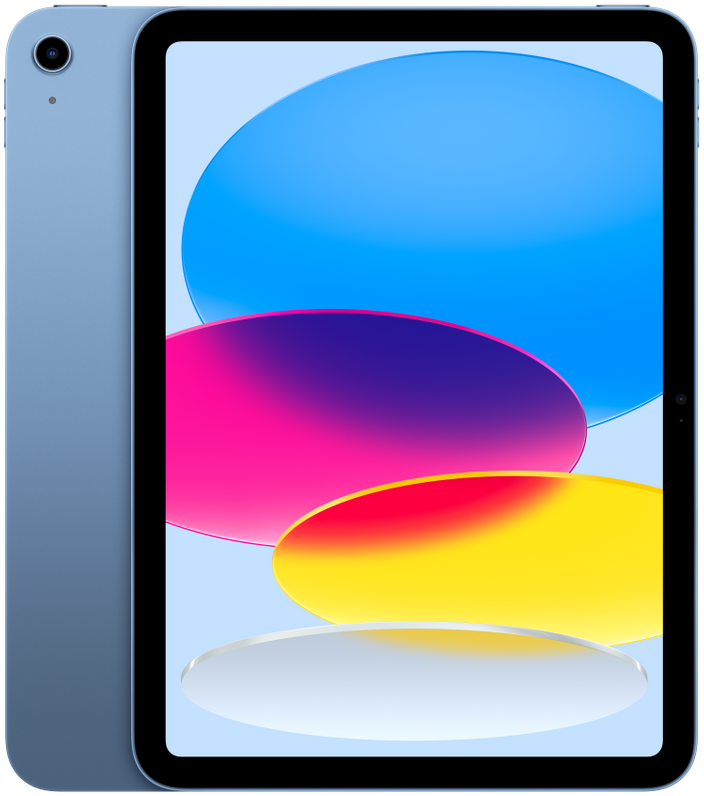
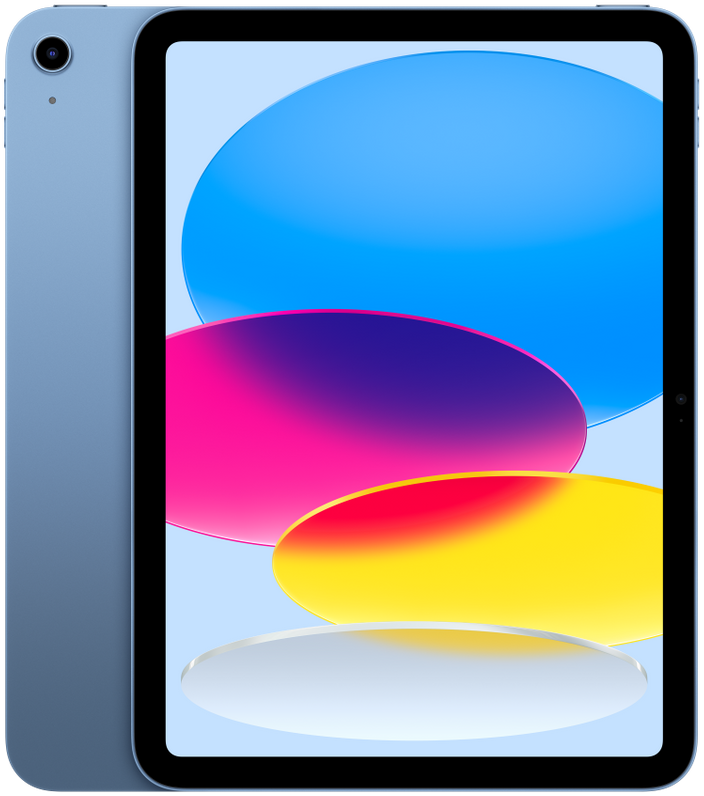
iPad A16
View the full specifications, dimensions, pricing, and related models.
Camera
Camera feedback mirrors other entry iPads: utility-first rather than creative-first. The 12 MP rear wide camera handles document scanning, occasional snapshots, and augmented-reality homework apps adequately; the 12 MP landscape front camera supports FaceTime and remote class sessions without standout quality praise or harsh criticism.
Video calls from a desk prop or keyboard case work reliably for students and grandparents alike — a common family-tablet use case. Low-light performance trails iPhones as expected; owners rarely purchase this device for photography.
Battery and charging
Typical daily reports align around comfortable all-day endurance for student and family routines: classes, evening streaming, and intermittent browsing commonly finish with charge remaining. Heavy gaming, maximum-brightness outdoor use, and cellular hotspot sessions more often require an evening top-up.
Shared-family usage patterns produce mixed charging stories — multiple users on one tablet can drain faster than single-owner mini workflows, though overnight charging remains the norm in household accounts.
Performance
App launching, tab switching, and video playback are often described as snappy on the A16 with 6 GB of RAM. Owners upgrading from much older entry iPads or aging Android tablets report the largest perceived speed gains; those comparing directly with M-series iPad Air hardware describe performance as sufficient rather than impressive.
Light creative work — Pages documents, GarageBand experiments, photo markup — runs smoothly without the headroom artists associate with Pro or Air chips. Heavy 4K editing and pro illustration apps are outside the sweet spot in accounts.
Handling and portability
At 179.5 mm wide, 248.6 mm tall, and 477 g, the iPad A16 is a two-hand tablet for nearly all sustained use. Brief portrait holding for page turns or kitchen recipe glances works for larger hands, but owners consistently describe shifting to a lap, table, or stand within minutes — standard behavior for 10.9-inch tablets rather than a unique flaw.
Portrait one-handed reading is manageable for short sessions when the bezel offers a thumb rest along the lower edge. Compared with iPad mini, the extra width and nearly 200 g additional weight push the A16 firmly into lap-tablet territory for books and comics.
Landscape one-handed use is limited to quick media taps. Students more commonly prop the device on a desk or keyboard case for typing, reflecting how entry iPads enter households as shared homework screens rather than handheld readers.
Build quality
The aluminum unibody, color finishes, and USB-C port produce a device that feels more premium than many budget Android tablets in owner comparisons. Buttons and port alignment receive few early failure reports; the overall chassis is described as sturdy for family environments with kids and couch cushions.
The non-laminated display is the most discussed build compromise — not a reliability defect but a perceptible difference in Pencil sound and feel, and occasionally in glare behavior under desk lamps. Laminated Air screens are the comparison point in nearly every related thread.
Similar size devices


This summary is based on recurring reports from public discussions.