Huawei MatePad 11.5 S User Experience
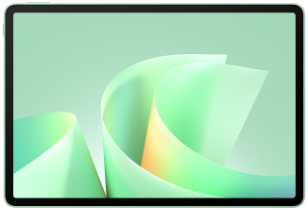
Sizometry Verdict
Editorial scores based on recurring themes across professional reviews, hands-on testing, and expert analysis.
Overall user experience
8.0
out of 10
A settled community-favorite productivity tablet with 11.5-inch 144 Hz LCD, 8800 mAh stamina, and strong M-Pencil note workflows — held back by no official GMS, 40W charging versus 66W siblings, and workaround fragility for Play-only apps.
Category scores
Camera
6.0
Adequate for scans and calls; imaging is not the purchase driver.
Battery and charging
8.5
8800 mAh delivers the strongest campus-day pattern in this lineup.
Performance
7.5
Smooth for notes; Dynamic SKU adds gaming headroom.
Handling and portability
5.5
515 g and 177.3 mm width demand two-hand or desk support. Backpack note tablet; not jacket-pocket class.
Build quality
8.0
6.1 mm metal build and panel options feel thoughtful.
Value
8.0
Competitive feature set and pricing for the target buyer, with clear trade-offs versus premium siblings.
Strengths
- 11.5-inch 144 Hz LCD with eye-comfort panel choices
- 8800 mAh full-day campus endurance pattern
- M-Pencil productivity workflows with 2026 NearLink option
- Strong value for annotation-first buyers
Weaknesses
- No official GMS — AppGallery or workarounds required
- 40W charging slower than MatePad 12 X and Mini 66W
- Keyboard and pen often extra cost
- China versus global HarmonyOS feature gaps
Best for
- Students wanting Huawei's default note tablet
- PaperMatte and Soft Light eye-comfort buyers
- AppGallery-first productivity users
- Annotators comparing iPad 10 class rivals
Less suitable for
- Play-dependent professionals
- Pocket-first mini tablet shoppers
- Buyers demanding 66W fast charging
- Flagship media buyers — consider MatePad 12 X
Upgrade recommendation
Current device: Older Huawei 10-inch MatePads
Recommendation: Strongly recommendedNotes: Material gains in 144 Hz panel, 8800 mAh, and M-Pencil refinement.
Current device: Huawei MatePad Mini
Recommendation: Depends on prioritiesNotes: 11.5 S wins lecture scale; Mini wins 255 g travel.
Current device: Huawei MatePad 12 X
Recommendation: Worth consideringNotes: Only if six-speaker media and 66W matter more than value and weight.
Current device: Huawei MatePad 11.5 S
Recommendation: Probably unnecessaryNotes: Community pattern treats standard SKU as sufficient unless Dynamic gaming headroom is needed.
Bottom line
MatePad 11.5 S is Huawei's settled student and note-tablet recommendation — buy for 144 Hz eye-comfort panels, M-Pencil campus workflows, and 8800 mAh stamina inside AppGallery, accept 40W charging and no official GMS.
See its real size next to another phone or tablet.
Open size comparisonOverview
Refreshed in China on August 21, 2025 and rolling into 2026 global retail, the Huawei MatePad 11.5 S has settled into Huawei's clearest community pattern — an 11.5-inch LCD at 2800×1840 and 144 Hz in a 177.3×261×6.1 mm, 515 g chassis aimed at students and annotators who prioritize note fidelity over OLED glamour.
The most repeated praise centers on 144 Hz handwriting smoothness, PaperMatte and Soft Light/Cloud Clear eye-comfort options, and 8800 mAh endurance through campus days. M-Pencil with NearLink on 2026 global SKUs earns lecture-hall credit; official Huawei Notes behaves predictably without Google Play.
Daily use
Daily use is described as dependable on HarmonyOS 5/6 for split-screen browsing, Huawei cloud docs, and first-party note suites — the workload this tablet is marketed to serve. Friction clusters around occasional AppGallery search misses, banking apps that require workarounds on global units, and slower 40W top-ups compared with MatePad 12 X 66W expectations.
The 11.5-inch 144 Hz LCD and stereo speakers feel purpose-built for lecture capture and dorm streaming rather than HDR showcase panels. Soft Light and Cloud Clear options earn praise from owners who disable aggressive blue-light schedules; PaperMatte buyers describe less reflection under classroom fluorescents. HarmonyOS sidebar multitasking and floating windows integrate cleanly with M-Pencil palm rejection in official apps.
HarmonyOS gets consistent credit for productivity polish — handwriting beautification, PDF tab memory, and keyboard cover shortcuts when Huawei's magnetic keyboard is paired — versus promotional layers that some owners disable after setup. The 515 g chassis is described as manageable in portrait between classes but usually propped or keyboard-mounted for typing sessions longer than email replies.
MatePad 11.5 S
View the full specifications, dimensions, pricing, and related models.
Camera
Camera feedback centers on practical utility rather than creative ambition. Front and rear sensors on MatePad 11.5 S are regarded as adequate for document scanning, whiteboard capture, and video calls — matching how student and hybrid-worker buyers use note tablets.
Video call quality on the front camera suits desk-based and kitchen-counter meetings where the LCD panel doubles as a monitor. Owners praise framing in supported HarmonyOS call apps; low-light noise remains predictable for tablet sensors.
Battery and charging
Typical campus routines commonly end with 20–35% remaining after six to eight hours of mixed markup, browsing, and streaming on the 8800 mAh cell — the strongest battery pattern in this Huawei 2025–2026 trio and a recurring reason students recommend the 11.5 S over MatePad Mini for all-day lecture schedules.
40W wired charging is the main hardware compromise owners mention when cross-shopping MatePad 12 X or MatePad Mini — full charges in roughly 90–120 minutes versus 66W siblings that reshape midday habits. Many students plan overnight or between-class top-ups rather than panic recovery during back-to-back seminars.
Performance
Routine app launching and split-screen multitasking follow a settled smooth pattern on HarmonyOS 5/6 for the note-and-browser stacks this tablet is marketed to serve. Social browsing, PDF markup, and cloud homework complete without stutter on standard SKUs; Dynamic variant buyers report extra headroom for lighter gaming and denser floating-window layouts.
Gaming feedback is modest on standard SKUs and positive on Dynamic variants — casual mobile titles at medium settings run well in dorm threads, while demanding games at max presets warm the chassis sooner than Kirin T92B MatePad 12 X accounts describe.
Handling and portability
At 177.3 mm wide, 261 mm tall, and 515 g, the Huawei MatePad 11.5 S is not a one-handed tablet in the phone sense — and the settled community pattern rarely pretends otherwise. Brief portrait carries between lecture halls are possible, but sustained single-hand reading is limited to short chapters or comic volumes before grip fatigue sets in.
The MatePad 11.5 S is a backpack tablet, not a jacket-pocket device. Portability discussions focus on student bags, messenger compartments, and padded sleeves rather than everyday pocket carry. Owners accept that 11.5 inches trades away MatePad Mini minimalism for lecture-scale PDF workspace, and recurring comparisons favor Mini when travel days prioritize the smallest Huawei kit. At 515 g bare, the tablet is mid-weight for its class — heavier than iPad mini or MatePad Mini but lighter than MatePad 12 X.
For extended reading, streaming, and stylus workflows, the MatePad 11.5 S shines when supported — desk stand, magnetic keyboard, or angled folio — rather than held bare for long periods. The community pattern describes multi-hour study sessions as comfortable with PaperMatte or Soft Light panels, citing reduced glare and 144 Hz scrolling as meaningful ergonomic wins for eyes during markup marathons. Lap keyboard use is a defining daily behavior for buyers who purchase Huawei's keyboard cover. The accessory provides enough stability for library and dorm couch writing in many accounts, though sessions longer than two hours encourage desk relocation.
Build quality
The 6.1 mm metal unibody and rigid frame deliver convincing mid-premium build above plastic budget slabs in this price tier — a step clear of economy MatePad SE positioning while staying lighter than MatePad 12 X.
PaperMatte and Cloud Clear panel options communicate thoughtful ergonomics for annotators and media viewers; owners praise how finish choice changes daily glare behavior more than chassis dimensions.
Similar size devices
This summary is based on recurring reports from public discussions.